







TP-Link NVRs

Setting up a CCTV system and not sure which NVR to pair with your TP-Link VIGI cameras? Choosing the right recorder is just as important as the cameras themselves - it determines how much footage you can store, how many cameras you can connect, and how easily you can manage your system.

TP-Link VIGI Network Video Recorders (NVRs) are designed to work seamlessly with the full VIGI camera range, offering a straightforward setup experience and reliable long-term performance for small to medium-sized businesses and commercial properties across Australia.

What is an NVR and do I need one?

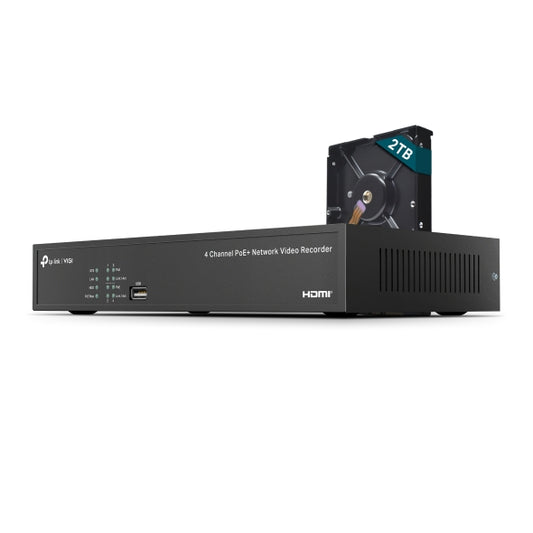
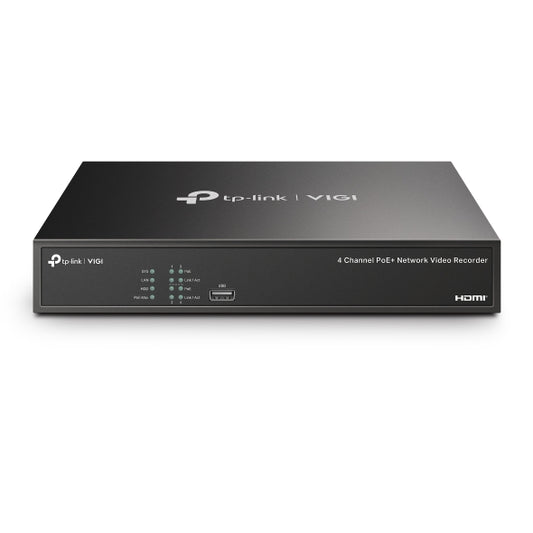
An NVR (Network Video Recorder) is the central hub of your IP camera system. It receives video streams from your cameras over a network connection, records footage to an internal hard drive, and allows you to review, search, and export recordings.

If you are using TP-Link VIGI IP cameras, an NVR is the recommended way to store and manage your footage - especially for multi-camera setups where you need continuous 24/7 recording across several locations.

Key features of TP-Link VIGI NVRs

  • PoE support - power and connect your cameras using a single Ethernet cable, eliminating the need for separate power supplies
  • Multi-channel recording - available in 4, 8, and 16 channel configurations to suit small and large installations
  • H.265+ compression - reduces storage requirements without compromising video quality
  • Smart playback - quickly locate footage using motion detection filters and event-based search
  • VIGI app integration - remotely access live feeds and recordings from your smartphone via the VIGI mobile app
  • Local and cloud management - compatible with VIGI VMS for centralised multi-site monitoring

How to choose the right VIGI NVR

When selecting an NVR, consider the following:

  • Number of channels - match the channel count to the number of cameras in your system, with room to expand if needed
  • Storage capacity - most VIGI NVRs support up to 10TB HDDs; the amount of storage you need depends on your camera resolution, frame rate, and how many days of footage you want to retain
  • PoE vs non-PoE - PoE NVRs simplify installation by powering cameras directly through the network cable; non-PoE models require cameras to have their own power source
  • Resolution support - ensure the NVR supports the maximum resolution of your cameras (4MP, 6MP, or 8MP/4K)

Frequently asked questions

Do VIGI NVRs work with non-VIGI cameras?
VIGI NVRs support ONVIF-compatible cameras, so they can work with cameras from other brands. However, full feature compatibility - including smart detection and VIGI app integration - is only guaranteed with TP-Link VIGI cameras.

Does the NVR come with a hard drive?
Most VIGI NVRs are sold without a hard drive included. You will need to purchase and install a compatible surveillance-grade HDD separately. Check the product listing for supported drive sizes and brands.

How many days of footage can I store?
Storage duration depends on the number of cameras, resolution, frame rate, and recording schedule. As a general guide, a 4-camera system recording at 4MP with a 4TB HDD will typically store around 14 to 30 days of continuous footage.

Browse the full range of TP-Link VIGI NVRs below, or contact our team for help sizing your storage and selecting the right recorder for your setup.

Recently Viewed Products