




























Your Monthly Security System Checklist
A security system you can't rely on is worse than no system at all - it gives you false confidence. Most failures are preventable with a simple monthly routine that takes less than 15 minutes.
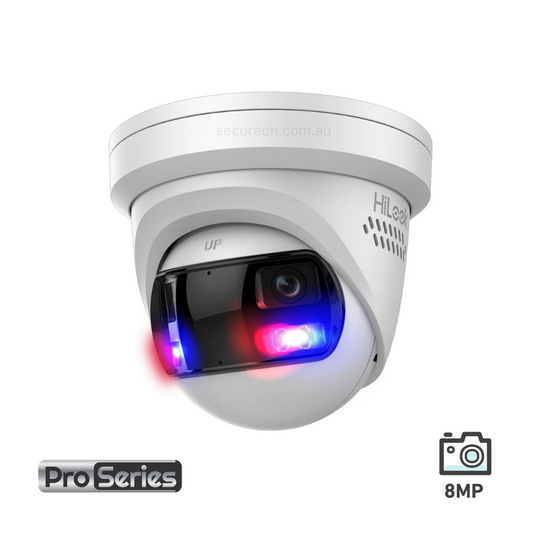
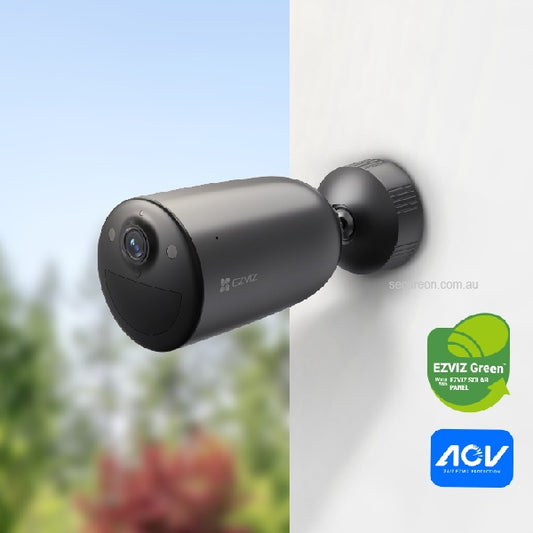
Whether you're running an 8MP bullet security camera on a residential property, an AI motion detection security camera at a commercial site, or a full AJAX Hub 2 4G alarm system across multiple zones, the same principle applies: regular checks keep your system honest.
Here's your checklist.
Monthly checklist
| Task | What to check | Time |
|---|---|---|
| 🧹 Clean camera lenses | Wipe with a microfibre cloth. Dust and spider webs reduce image quality - especially on outdoor bullet cameras. | 5 min |
| ▶️ Verify recording is active | Check NVR is recording on all channels. Look for the record indicator. | 2 min |
| 💾 Check HDD status | NVR menu > Storage > HDD status. Look for warnings or errors. | 2 min |
| 🎯 Test motion detection | Walk in front of each camera and confirm alerts trigger correctly. If you're using the best camera for human and vehicle detection, verify your AI filter is active and not flagging false positives from trees or headlights. | 3 min |
| 📱 Test remote access | Open your app (Hik-Connect, DMSS, AJAX) and confirm live view loads. | 1 min |
| 🔄 Check for firmware updates | NVR menu > System > Firmware. Update if available. | 2 min |
| 🔔 Test intercom (if installed) | Press doorbell, confirm audio/video and door release function. Browse our 4-wire intercoms and 2-wire intercoms if yours needs replacing. | 2 min |
| 🗓️ Review footage retention | Confirm oldest footage is being overwritten correctly, not lost prematurely. | 1 min |
| 📡 Check wireless signal strength | If you're running a wireless security range extender like the AJAX Rex 2, confirm all sensors are communicating with full signal. Weak signal is a common cause of missed alerts. | 2 min |
| 📸 Test alarm photo verification | If your alarm system with photo verification is active (e.g. AJAX MotionCam), trigger a test event and confirm a photo is captured and delivered to your app. | 2 min |
Quarterly tasks
These don't need monthly attention but should be done every 3 months:
- Check camera mounting: tighten any loose brackets and check weatherproofing seals - especially on outdoor bullet cameras exposed to the elements
- Review camera angles: vegetation grows, vehicles move, blind spots appear. See our guide on where to place security cameras if you need to rethink coverage.
- Audit user access: remove old passwords or accounts no longer in use. Read our tips on how to hacker-proof your security cameras.
- Test backup power: if you have a UPS, confirm it holds charge and switches correctly
- Review storage capacity: assess whether your retention period still meets your needs
- Check Rex 2 sensor coverage: if you've added new sensors or rearranged your space, confirm the Rex 2 security sensor is still providing adequate range to all devices
Annual tasks
- Full inspection: cables, connectors, housing condition
- Replace any cameras showing image degradation - an 8MP bullet security camera that's lost clarity is no longer doing its job
- Review your system design. Has your property changed? New entry points? Our guide on how many security cameras you actually need can help you reassess.
- Update passwords across all devices
- Reassess whether your alarm system with photo verification is covering all critical zones
Warning signs to act on immediately
- ⚠️ Camera showing a black screen or "no signal"
- ⚠️ NVR HDD showing errors or "abnormal" status
- ⚠️ AI motion detection security camera triggering on everything - or nothing
- ⚠️ Remote access failing consistently
- ⚠️ Footage gaps in the recording timeline
- ⚠️ AJAX Hub 2 4G alarm system showing offline sensors or low battery warnings
- ⚠️ Wireless security range extender showing signal loss to connected devices
Don't ignore these. A camera that appears to be working but isn't recording is a common and costly oversight.
Upgrading your system?
If your monthly checks are revealing consistent gaps - poor image quality, missed detections, or unreliable wireless coverage - it may be time to upgrade rather than maintain. Here's what to consider:
- Image quality issues: an 8MP bullet security camera delivers sharp, detailed footage day and night. If your current cameras can't identify faces or plates, resolution is likely the problem. See our full range of bullet cameras.
- Too many false alerts: the best camera for human and vehicle detection uses AI to filter out irrelevant motion. Upgrading to an AI motion detection security camera dramatically reduces nuisance alerts. Also read: night vision security camera FAQs.
- Wired vs wireless: not sure which setup suits your property? Read our guide on wired vs. wireless security cameras and PoE vs WiFi cameras.
- Alarm reliability: the AJAX Hub 2 4G alarm system connects via 4G, Ethernet, and Wi-Fi simultaneously - so if one path drops, your alarm stays online. Paired with an alarm system with photo verification, you get visual confirmation of every event before responding. Browse all AJAX Hubs and AJAX detectors.
- Wireless coverage gaps: a wireless security range extender like the Rex 2 security sensor extends your AJAX network to outbuildings, garages, or large floor plans without running cable.
- Camera placement: read our guide on strategic security camera placement to make sure every camera is earning its keep.
Need help?
Our team can assist with camera replacements, firmware updates, and system upgrades. Browse our range or get in touch.
📞 Call 1300 888 767 or visit secureon.com.au
Secure On Australia. 100% Aussie stock, free shipping on orders $200+, professional installation available.